


質問ごとにトピックの乱立を防ぐために、こちらを立てさせていただきます。
私自身、質問があってこちらのコミュに飛び込んできましたが、ずいぶん古い質問が回答つかずで放置状態なのを見てかなり不安です。
まあだめもとで質問させていただくことにします。
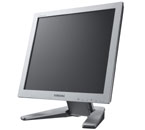
妻がS24B300HLというモニタを中古(新品同様)で買ってきました。
ネットでマニュアルをダウンロードしました。
接続方法について次のようにあります:
2-3 Installing the Product
2-3 Connecting with a PC
The connecting part may differ depending on the product model.
1. Connect the product to a PC depending on the video output supported by the PC.
• When the graphics card provides D-SubAnalogoutput
• Connect the [RGB IN] port of the product to the [D-Sub] port of the PC with the D-Sub cable.
• When the graphics card provides DVIDigital output
• Connect the [DVI IN] port of the product to the [DVI] port of the PC with the DVI cable.
これまで使っていた通常の端子D-subで接続できるとあるのですが、正しく動作しません。
ぼやーっと雲のようなものが映り、次に縞模様のようなものがでます。
そのまま待てば自動設定されるのかと思いましたが何も変わりません。
接続方法としてはDVIという端子でもいいと書かれていますが、「DVIでなければ映らない」というわけではなさそうです。しかし何も映りません。
対処方法をご教授ください。
よろしくお願いします。
私自身、質問があってこちらのコミュに飛び込んできましたが、ずいぶん古い質問が回答つかずで放置状態なのを見てかなり不安です。
まあだめもとで質問させていただくことにします。
妻がS24B300HLというモニタを中古(新品同様)で買ってきました。
ネットでマニュアルをダウンロードしました。
接続方法について次のようにあります:
2-3 Installing the Product
2-3 Connecting with a PC
The connecting part may differ depending on the product model.
1. Connect the product to a PC depending on the video output supported by the PC.
• When the graphics card provides D-SubAnalogoutput
• Connect the [RGB IN] port of the product to the [D-Sub] port of the PC with the D-Sub cable.
• When the graphics card provides DVIDigital output
• Connect the [DVI IN] port of the product to the [DVI] port of the PC with the DVI cable.
これまで使っていた通常の端子D-subで接続できるとあるのですが、正しく動作しません。
ぼやーっと雲のようなものが映り、次に縞模様のようなものがでます。
そのまま待てば自動設定されるのかと思いましたが何も変わりません。
接続方法としてはDVIという端子でもいいと書かれていますが、「DVIでなければ映らない」というわけではなさそうです。しかし何も映りません。
対処方法をご教授ください。
よろしくお願いします。
|
|
|
|
|
|
|
|
液晶はサムスンDisplay 更新情報
-
最新のイベント
-
まだ何もありません
-
-
最新のアンケート
-
まだ何もありません
-
液晶はサムスンDisplayのメンバーはこんなコミュニティにも参加しています


人気コミュニティランキング

- 1位
- 30代〜40代から友達作り【友活】
- 35813人

- 2位
- 40歳以上のおじさん&おばさん
- 14757人

- 3位
- マイミク募集💖50代60代70代
- 2394人