


|
|
|
|
コメント(112)
初めまして!!
私のサンプラー遍歴です。
S612 -> DSS-1 -> S01 -> MS-1 -> S2000 -> Samplecell
S612とS01は売りに出しましたが、その他は用途にあわせて使っています。Samplecellは2台あって一つはSofmapで1800円でゲット。メモリ32MBと少ないですが、出音は大好きです。
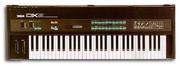
DSS-1は大学時代から使っているのでもうすぐ20年。これにしか出せない深いサウンドがあります。京王技研からコルグに社名が変わり起死回生の1台だったのですがDX-7には勝てなかったトホホなサンプラーです。ラックタイプのDSM-1は坂本教授の録音に使われ一時期人気が出ましたね。
はい、DSS-1 は、サンプラーの分際でハードシンクもあったし、自力で波形生成もできました。鋸歯状波とか自動生成できたし、グラフィックには見えないけどハンドドローイングもあったし、グラフィックには見えないけど倍音加算合成もあったし、グラフィックには見えないけど波形の手書き修正しかもアドレス単位!という荒わざだらけで、男気あふれるシンセでした。VCF も良かったし、2連モジュレーション・ディレイがまた使い道いろいろあって最高でした。2つあったスライダーと LCD 表示も工夫されてて、とても使い勝手が良かった。
あのデカささえなんとかなれば、手狭になった我が家でも存続できたはずなんです。
メーカー・ライブラリーもマニアックで、ノイバウテンとか、勇壮な合唱とか、私好みのがそろってました。
でも、でっかいのよね。食卓になりそうでした。
あのデカささえなんとかなれば、手狭になった我が家でも存続できたはずなんです。
メーカー・ライブラリーもマニアックで、ノイバウテンとか、勇壮な合唱とか、私好みのがそろってました。
でも、でっかいのよね。食卓になりそうでした。
Driveは凄い定価でした。
元々MacTOPIXとかのOpticalMedia製です。
本体と一緒に重ねたら壮観ですよ。
さらにdigidesignのNuBUSExpansionBoxでもあったらもう定価1千万コースですw
鍵盤は格好いいんですが激しくでかいです。
Emaxで我慢です。
(ってEmax鍵盤4つも転がってるのでEIIIよりでかいですがw)
ご覧のようにラックタイプは熱的にアレです。
電源もEmax同様アレです。
でもEIIIは本当にいい音がします。
私がおなじみにしているこの人が
http://kunst.phlimburg.be/vx600/
EIIIいじくりだしたので色々楽しみです。
http://dvdborn.blogspot.com
Blogにも有りますが4M>8MにするPALChipが困り物です。
http://www.emulatorarchive.com/assets/PDF/Emax%20SE%20Upgrade.pdf
に
To Update Your Emax:
1. Locate the Emax SE Retrofit disk. This disk contains the SE software.
2. Make sure that the write protect window is closed (Unprotected).
3. Boot up your Emax with the SE Retrofit disk.
4. The SE update will be done automatically and Emax will display:
“SE Updated. Please Re-boot”.
5. Remove the SE Retrofit disk and switch off Emax.
Switch power on again and re-insert the disk.
6. Emax will now boot the SE software and you can update the software on
your disk library.
とあったので、OSベースだけなのかなと思ってました。
- mixiユーザー
- ログインしてコメントしよう!
|
|
|
|
トホホシンセ共和国 更新情報
-
最新のアンケート
-
まだ何もありません
-
トホホシンセ共和国のメンバーはこんなコミュニティにも参加しています


人気コミュニティランキング

- 1位
- 写真を撮るのが好き
- 209897人
- 2位
- 食べ物写真をつい撮ってしまう人
- 20315人

- 3位
- 30代〜40代から友達作り【友活】
- 35864人