すべての検索結果:28件
検索条件:タイトルと本文+更新順


CSSテクニックのトピック
【質問】印刷時におかしくなってしまう。
-height:20px; text-align:left; } * html p.main6{ width:100px ; } /*ヘッド*/ #head{ width:800px; height:200px; background-image:url
- 2009年04月14日 18:12
- 17826人が参加中
- 13
![[dir]ホームページ作成総合](https://logo-imagecluster.img.mixi.jp/photo/comm/43/59/1234359_253.jpg)
[dir]ホームページ作成総合のトピック
画像のロールオーバーについて
: -9999px; height: 40px; width: 100px; } #menu #menu_01 a a:hover { background-position: -100px 0; } としてあります。 他の
- 2009年01月31日 15:29
- 3186人が参加中

クリエイター&デザイナーのトピック
cssのわかる方 教えて下さい!
{ width:100px; } #search .searchbtn{ width:40px; } /* ----- ranking ----------------------------------------------------- */ form{ margin:0px; } .menu_frame select{ width:88%; } .page a{ text
- 2008年12月15日 09:10
- 63989人が参加中
- 5
CSSテクニックのトピック
●うまくレイアウトできずに困っています!
{ height:100px; background-color:#827264; margin: auto; } .head_logo で書いたソースはこんな感じです。 -------------------------------------------- 【CSS】 body { text-align: center; width: 100%; } .header
- 2008年09月26日 16:16
- 17826人が参加中
- 32
CSSテクニックのトピック
divの高さを100%に
; height: 100%; } div#sidebar{ width:100px; float:left; height: 100 "; *{ margin:0; padding:0; } html,body { height: 100%; } body
- 2008年09月17日 12:03
- 17826人が参加中
- 12

A7W Web部のトピック
CSSのロールオーバーボタンを作成したいのですが・・。
; background-image:url(/bg1.gif); } .top { width:100px; height:20px (/bg1.gif); } .top a{ width:100px; height:20px; display:block
- 2008年09月05日 17:12
- 4人が参加中
- 5

XHTMLとCSSで書こう!のトピック
【質問】CSS の高さ表示について
solid #cccccc; } .detail dt { float: left; width: 100px; height 訳ございませんがお知恵を借して頂ければ幸いです。 *dt,ddのheightを現在autoにしてしまっておりますが、こちらを固定(仮に80px)にしても、dd要素が80px超えてしまうとNGにな
- 2008年04月19日 15:33
- 2861人が参加中
- 3
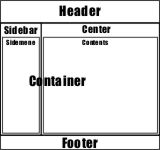
CSSを使って、背景色でブラウザの縦いっぱいにする方法
%; } .b1 { background-color: #333333; height: 100%; width: 100px の文字と写真が入ります。) --------------------------- CSS↓ html{ height:100%; } body{ height:100%; width:100
- 2008年03月25日 17:35
- 1996人が参加中
- 9
CSSテクニックのトピック
IE6で表示がずれるにナビゲーションを回り込ませる
/logo.gif); background-repeat: no-repeat; height: 127px; width:260px ; list-style-type: none; width: 90px; height:127px; } #menuButton a
- 2008年02月28日 23:18
- 17826人が参加中
- 4

CSSのトピック
CSSを使って、背景色でブラウザの縦いっぱいにする方法
%; } .b1 { background-color: #333333; height: 100%; width: 100px の文字と写真が入ります。) --------------------------- CSS↓ html{ height:100%; } body{ height:100%; width:100
- 2008年02月28日 10:43
- 5441人が参加中
- 9
CSSテクニックのトピック
CSSを使って、背景色でブラウザの縦いっぱいにする方法
%; } .b1 { background-color: #333333; height: 100%; width: 100px の文字と写真が入ります。) --------------------------- CSS↓ html{ height:100%; } body{ height:100%; width:100
- 2008年01月28日 14:18
- 17826人が参加中
- 30

TABLEタグを使わないCSSデザインのトピック
CSSを使って、背景色でブラウザの縦いっぱいにする方法
%; } .b1 { background-color: #333333; height: 100%; width: 100px の文字と写真が入ります。) --------------------------- CSS↓ html{ height:100%; } body{ height:100%; width:100
- 2008年01月27日 10:37
- 1169人が参加中
- 2

DH渋谷 総プロ7月生の集いのトピック
質問
{ background:url(../img/flag_1.gif) no-repeat 50px 0; width:100px; height:15px :-9999px; display:block; width:127px; height:28px; margin:40px 0 20px
- 2008年01月06日 00:16
- 7人が参加中

HTML / XHTMLのトピック
IE6.0SP2でのハックにつきまして。
{ height:100%; overflow:hidden; } #header { width: 100%; height { padding: 120px 15px 70px; } #footer { width: 100%; height: 40px
- 2007年11月11日 14:28
- 5251人が参加中
- 28
CSSテクニックのトピック
CSS ナビゲーションリンクについて
ートメンテナンス ・ ・ ・ ----------- CSS ----------- #nav { display: block; width:780px; height 基本中の基本らしいので是非マスターしたいです。 どなたか助言いただけませんでしょうか。 ※リンク画像は100px×100pxで、HOMEボタンの位置はX:240px Y:0pxです
- 2007年08月07日 16:20
- 17826人が参加中
- 6
CSSテクニックのトピック
ulとliで作ったナビゲーションメニューのセンタリング
-height : 20px; float : left; width : 20px li.next { width : 100px; } div.navigation a{ display
- 2007年06月11日 21:46
- 17826人が参加中
- 7
CSSテクニックのトピック
【CSS】縦100% FireFoxでスクロールすると切れる…。
{ background:#FFF; width:954px; height:100px; text-align:left ; } #wrap{ width:956px; height:100%; background: #d9d9d9; border-left
- 2007年05月15日 19:46
- 17826人が参加中
- 15
CSSテクニックのトピック
h1にimgを指定するとmargin-topが勝手に入ってしまいます
{ position: relative; width: 560px; margin: 0px auto; padding-top: -127px ; height: 906px; background: url(image/jay-black-sing2.jpg) top left no
- 2007年03月21日 19:57
- 17826人が参加中
- 19
CSSテクニックのトピック
質問です:floatしたboxの片方が下にずれてしまいます。
スは以下になります。 ------------------------------------------------ /*PAGETOP/お問い合わせ*/ #sabnavi{ width:930px; margin-top:30px; height:69px -right{ float:right; width:100px; margin:5px 20px 0 732px; text
- 2006年05月10日 11:47
- 17826人が参加中
- 4
CSSテクニックのトピック
助けてください。リキッドレイアウト。
{border:2px solid #ffffff; width:100px; height:100px;} a:hover img.item -image{border:2px solid #555555; width:100px; height:100px;} a:action
- 2005年12月06日 15:49
- 17826人が参加中
- 6
CSSテクニックのトピック
横スクロールバー表示固定
style="height:100px; width:100px; border:2px inset; overflow
- 2004年08月12日 13:34
- 17826人が参加中
- 6